The HTML <h4> tag

The HTML <h4> element is a level-four heading used inside an <h3> subsection, as in <h3>Battery</h3> followed by <h4>Charging</h4>. Its default size equals the surrounding text, so only bold weight and margins set it apart until CSS styles it.
Overview
The HTML <h4> element marks a fourth-level heading, the title of a part inside an <h3> subsection. Each h4 belongs to the h3 that comes before it in the page, so its position decides which subsection it divides.
Placed after an h3 called Battery, an h4 called Charging divides the Battery subsection. Moved after an h3 called Screen, it divides Screen instead.
By default, an h4 doesn't look much like a heading. At 1em it matches its parent's text size, so beside 16px paragraphs it is 16px too. Bold text and 1.33em margins are the only defaults that separate it from body copy.
Syntax
<h3>Battery</h3>
<h4>Charging</h4>
<p>A full charge takes about two hours.</p>
Example
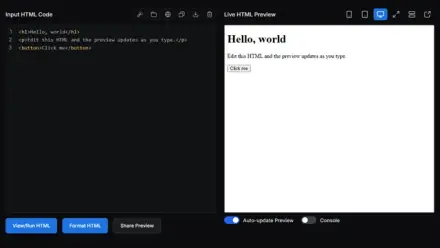
<h3>Battery</h3>
<h4 id="h" style="font-size: 1.1rem; color: #1e5aa8">Charging</h4>
<p id="p">A full charge takes about two hours.</p>
<button id="reset" type="button">Remove the h4 style</button>
<p id="sizes"></p>
<script>
function show() {
  const h4 = getComputedStyle(document.getElementById('h')).fontSize;
  const p = getComputedStyle(document.getElementById('p')).fontSize;
  document.getElementById('sizes').textContent = 'h4 ' + h4 + ', paragraph ' + p;
}
document.getElementById('reset').addEventListener('click', function () {
  document.getElementById('h').removeAttribute('style');
  show();
});
show();
</script>
Best practices
- Style h4 with its own size, color or spacing when it needs to stand out.
- Nest every h4 inside an h3 subsection.
- Make an h3 look bigger or bolder than the h4 parts under it, so readers can tell the levels apart.
- Consider whether the content really needs a fourth level. A long h3 subsection can sometimes split into two h3 subsections instead.
Accessibility
Even when an h4 looks like plain bold text, it is still a level 4 heading for assistive technology. Avoid skipping levels for people who navigate by headings, since an h4 directly under an h2 makes the outline look as if a level is missing.