The HTML <h2> tag

The HTML <h2> element is a level-two heading that titles each main section of a page. It sits under the page's <h1>, one per section, as in <h2>Ingredients</h2>. By default it renders bold at 1.5 times its parent's font size.
Overview
The HTML <h2> element is the second of HTML's six heading levels. It titles a subsection of the top-level section, which in practice is one of the main sections under a page's <h1>. Subsections of an h2 section take <h3>.
An h2 renders at three quarters of an h1's size by default, 1.5em against the h1's 2em. On 16px text, that works out to 24px for the h2 and 32px for the h1. CSS can restyle both without changing their levels.
WAI-ARIA 1.2 requires aria-level on an element with role="heading". When it is left out anyway, the fallback is level 2, and Chrome exposes such a heading at that level.
HTML limits how far the next heading can drop. After an h2, the next heading can be any level from h1 to h3, so an h4, h5 or h6 there would skip level 3. Following that rule keeps the outline free of gaps, and tables of contents and screen reader heading lists can be built from that outline.
Syntax
<h1>Banana bread</h1>
<h2>Ingredients</h2>
<p>Three ripe bananas, flour, eggs and butter.</p>
<h2>Method</h2>
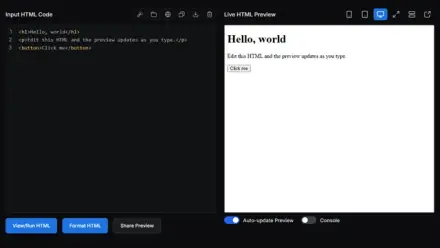
Example
<h1>Banana bread</h1>
<p id="toc">Jump to:</p>
<h2>Ingredients</h2>
<p>Three ripe bananas, flour, eggs and butter.</p>
<h2>Method</h2>
<p>Mash, mix and bake for an hour.</p>
<h2>Storage</h2>
<p>Keeps for three days in a sealed tin.</p>
<script>
const toc = document.getElementById('toc');
for (const h of document.querySelectorAll('h2')) {
  const b = document.createElement('button');
  b.type = 'button';
  b.textContent = h.textContent;
  b.addEventListener('click', function () { window.scrollTo(0, h.offsetTop); });
  toc.append(' ', b);
}
</script>
Best practices
- Give every main section of a page its own h2, one level below the page's h1.
- Write each h2 so it says what the section covers, such as "Ingredients" or "Method" rather than "Part 1".
- Keep h2 for structure even when a design wants smaller section titles. Restyle it in CSS instead of switching to an h3 or h4.
- Put only the title inside an h2, not a teaser sentence or a long link, since a list of headings shows the whole heading text.
Accessibility
An h2 can give a nav its accessible name when the nav points at it with aria-labelledby. If a site menu is labeled by an h2 reading Main menu and a footer menu by one reading Footer links, screen readers would announce two nav sections with those names.