Every login system needs a way back in. People forget passwords (we all do), and when they do, they need a safe route to a new one that doesn't involve you emailing their old password in plain text.
That plain-text habit quietly admits you store passwords you can read, which is a problem on its own. The right way is a one-time reset link: you email a short-lived link, the user clicks it, and they choose a brand new password.
We'll build exactly that with plain PHP and MySQL. A secure token, stored as a hash, expiring in 30 minutes, sent by real email. Let's get into it.
Generate a random token with bin2hex(random_bytes(32)), store only its SHA-256 hash with a 30-minute expiry, and email the raw token as a link. When the user clicks it, hash the incoming token, look it up, check it hasn't expired or been used, then save the new password with password_hash() and mark the token used.
Want the finished code? The free download is at the end of this tutorial.
Contents
1. How a Password Reset Works
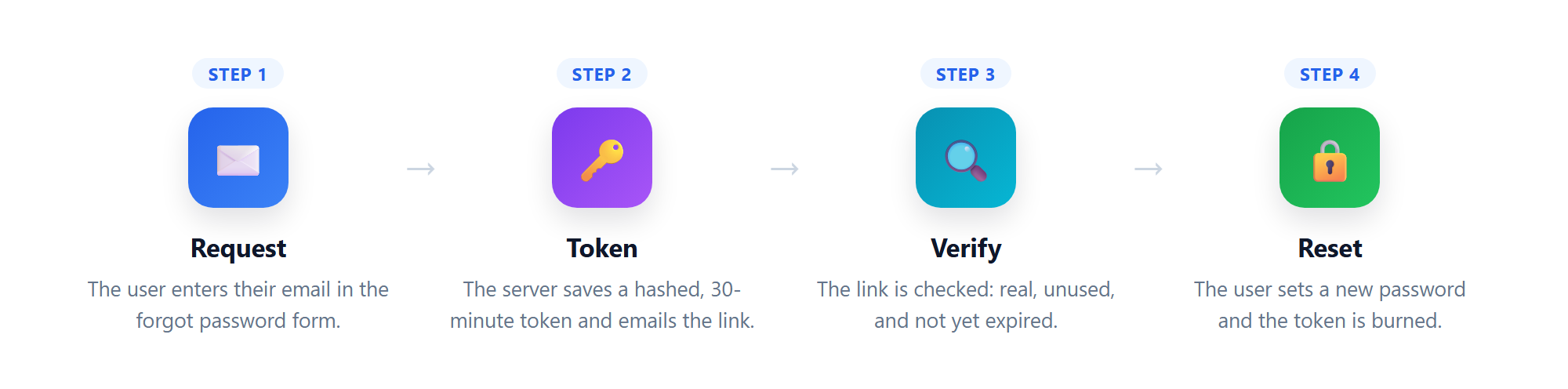
Before any code, here's the whole flow in plain English. It has four moving parts, and the token is the clever one: a temporary password that only lives in the user's inbox, works once, and dies after 30 minutes.
- Request. The user submits their email in a forgot password form.
- Token. The server saves a hashed, time-limited token and emails the link.
- Verify. The user clicks the link, and the server checks the token is real, unused, and still fresh.
- Reset. The user picks a new password, and the server saves it and burns the token.
This is a standalone feature, but it drops straight into an existing project; it reuses the same accounts table as our secure login system.
2. Setting Up the Database
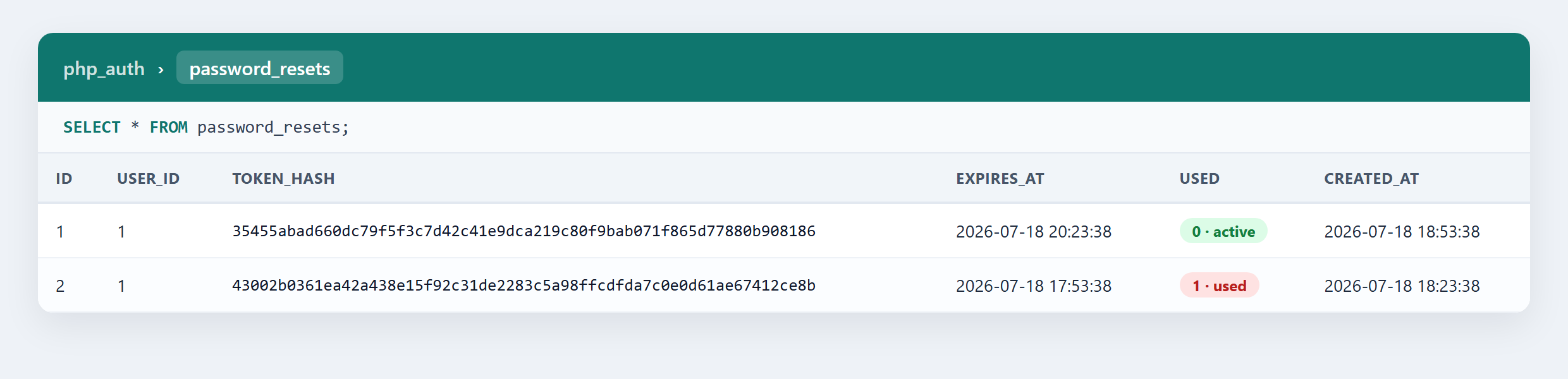
You already have the accounts table from the login and registration tutorials. We just add one new table, password_resets, which holds one row per reset request. Run this in phpMyAdmin:
-- Already created by the login/registration tutorial; shown here so the reset
-- flow works on its own too (IF NOT EXISTS leaves an existing table untouched).
CREATE TABLE IF NOT EXISTS accounts (
    id INT AUTO_INCREMENT PRIMARY KEY,
    username VARCHAR(50) NOT NULL,
    email VARCHAR(100) NOT NULL,
    password VARCHAR(255) NOT NULL
) ENGINE=InnoDB DEFAULT CHARSET=utf8mb4;

CREATE TABLE password_resets (
    id INT AUTO_INCREMENT PRIMARY KEY,
    user_id INT NOT NULL,
    token_hash CHAR(64) NOT NULL,
    expires_at DATETIME NOT NULL,
    used TINYINT(1) NOT NULL DEFAULT 0,
    created_at TIMESTAMP DEFAULT CURRENT_TIMESTAMP,
    INDEX (token_hash)
) ENGINE=InnoDB DEFAULT CHARSET=utf8mb4;
The three columns that matter: token_hash stores the SHA-256 hash of the token (always 64 characters, and never the token itself), expires_at is when the link goes stale, and used flips to 1 the moment the password changes so a link can't be replayed.
3. Configuration
Two small files first. Create config.php for the settings you'll change per server:
<?php
// Change these to match your MySQL database
define('DB_HOST', 'localhost');
define('DB_NAME', 'php_auth');
define('DB_USER', 'root');
define('DB_PASS', '');

// Your site's address (no trailing slash) and how long a reset link stays valid
define('APP_URL', 'http://localhost');
define('TOKEN_MINUTES', 30);

// Your SMTP email account, used to send the reset link
define('SMTP_HOST', 'smtp.gmail.com');
define('SMTP_PORT', 587);
define('SMTP_USER', 'you@gmail.com');
define('SMTP_PASS', 'your-app-password');
Now the mailer. PHP's built-in mail() tends to land in spam or fail silently, so we'll send through a real SMTP server with PHPMailer. Install it with composer require phpmailer/phpmailer, then create mailer.php:
<?php
use PHPMailer\PHPMailer\PHPMailer;
require 'vendor/autoload.php';

// Sends the one-time reset link to the user over SMTP
function send_reset_email($to, $link) {
    $mail = new PHPMailer();
    // Send through an SMTP server instead of the built-in mail() function
    $mail->isSMTP();
    $mail->Host = SMTP_HOST;
    $mail->SMTPAuth = true;
    $mail->Username = SMTP_USER;
    $mail->Password = SMTP_PASS;
    $mail->SMTPSecure = 'tls';
    $mail->Port = SMTP_PORT;
    // Who it's from, and who it's going to
    $mail->setFrom(SMTP_USER, 'Your App');
    $mail->addAddress($to);
    // The message itself - a short note with the reset link
    $mail->isHTML(true);
    $mail->Subject = 'Reset your password';
    $mail->Body = 'Click the link to choose a new password. It expires in ' . TOKEN_MINUTES . ' minutes.<br><br><a href="' . $link . '">Reset my password</a>';
    // Send it, and ignore the result so we never reveal anything to the visitor
    $mail->send();
}
Using Gmail? You'll need an App Password, not your normal login; our sending emails with Gmail SMTP guide covers the setup.
4. The Forgot Password Page
This is where it starts. The user enters their email, and we generate the token, save its hash, and email the link. Create forgot-password.php:
<?php
// Start the session so we can store a CSRF token, then load our settings and mailer
session_start();
require 'config.php';
require 'mailer.php';

// Connect to MySQL with PDO, and tell it to throw exceptions if a query fails
$pdo = new PDO('mysql:host=' . DB_HOST . ';dbname=' . DB_NAME . ';charset=utf8mb4', DB_USER, DB_PASS, [PDO::ATTR_ERRMODE => PDO::ERRMODE_EXCEPTION]);

// Create a CSRF token for the form if we don't already have one
$_SESSION['csrf'] = $_SESSION['csrf'] ?? bin2hex(random_bytes(32));
$sent = false;

// Only run when the form has actually been submitted
if ($_SERVER['REQUEST_METHOD'] === 'POST') {
    // Reject the request if the CSRF token doesn't match - this blocks cross-site submissions
    if (!hash_equals($_SESSION['csrf'], $_POST['csrf'] ?? '')) exit('Invalid request');
    // Grab the email and make sure it actually looks like one
    $email = trim($_POST['email'] ?? '');
    if (filter_var($email, FILTER_VALIDATE_EMAIL)) {
        // Find the account, but we'll never tell the visitor whether it exists
        $stmt = $pdo->prepare('SELECT id FROM accounts WHERE email = ? LIMIT 1');
        $stmt->execute([$email]);
        $user = $stmt->fetch(PDO::FETCH_ASSOC);
        if ($user) {
            // Rate limit: allow at most 3 reset requests every 15 minutes per account
            $stmt = $pdo->prepare('SELECT COUNT(*) FROM password_resets WHERE user_id = ? AND created_at > (NOW() - INTERVAL 15 MINUTE)');
            $stmt->execute([$user['id']]);
            if ($stmt->fetchColumn() < 3) {
                // Delete any older unused tokens so only the newest link works
                $pdo->prepare('DELETE FROM password_resets WHERE user_id = ? AND used = 0')->execute([$user['id']]);
                // Generate a long random token - this is the secret that goes in the email
                $token = bin2hex(random_bytes(32));
                // Store only the token's SHA-256 hash. MySQL computes the expiry with NOW() so
                // it always matches the NOW() check on the reset page, whatever the timezone.
                $stmt = $pdo->prepare('INSERT INTO password_resets (user_id, token_hash, expires_at) VALUES (?, ?, NOW() + INTERVAL ' . (int) TOKEN_MINUTES . ' MINUTE)');
                $stmt->execute([$user['id'], hash('sha256', $token)]);
                // Email the RAW token as a one-time link
                send_reset_email($email, APP_URL . '/reset-password.php?token=' . $token);
            }
        }
    }
    // Show the same message every time, whether or not the email is registered
    $sent = true;
}
?>
<!DOCTYPE html>
<html>
<body>
    <?php if ($sent): ?>
        <p>If an account matches that email, we've sent a reset link. Check your inbox.</p>
    <?php else: ?>
        <form method="post">
            <input type="hidden" name="csrf" value="<?= $_SESSION['csrf'] ?>">
            <label>Email address</label>
            <input type="email" name="email" required>
            <button type="submit">Send reset link</button>
        </form>
    <?php endif; ?>
</body>
</html>
Let's walk through the parts that matter.
The token. We build it from random_bytes(32), which is 256 bits of cryptographically secure randomness; nobody is guessing it. Then we store only its hash('sha256', ...). If your database ever leaks, the stored hashes are useless, because the real tokens only ever lived in the emailed links.
The same answer every time. Whether or not the email belongs to a real account, the visitor sees the identical "check your inbox" message. That stops someone from using this form to discover which emails are registered, a trick called user enumeration.
One live token. Deleting older unused tokens first means a user who clicks "forgot password" three times doesn't end up with three working links. One live token at a time is tidier and safer.
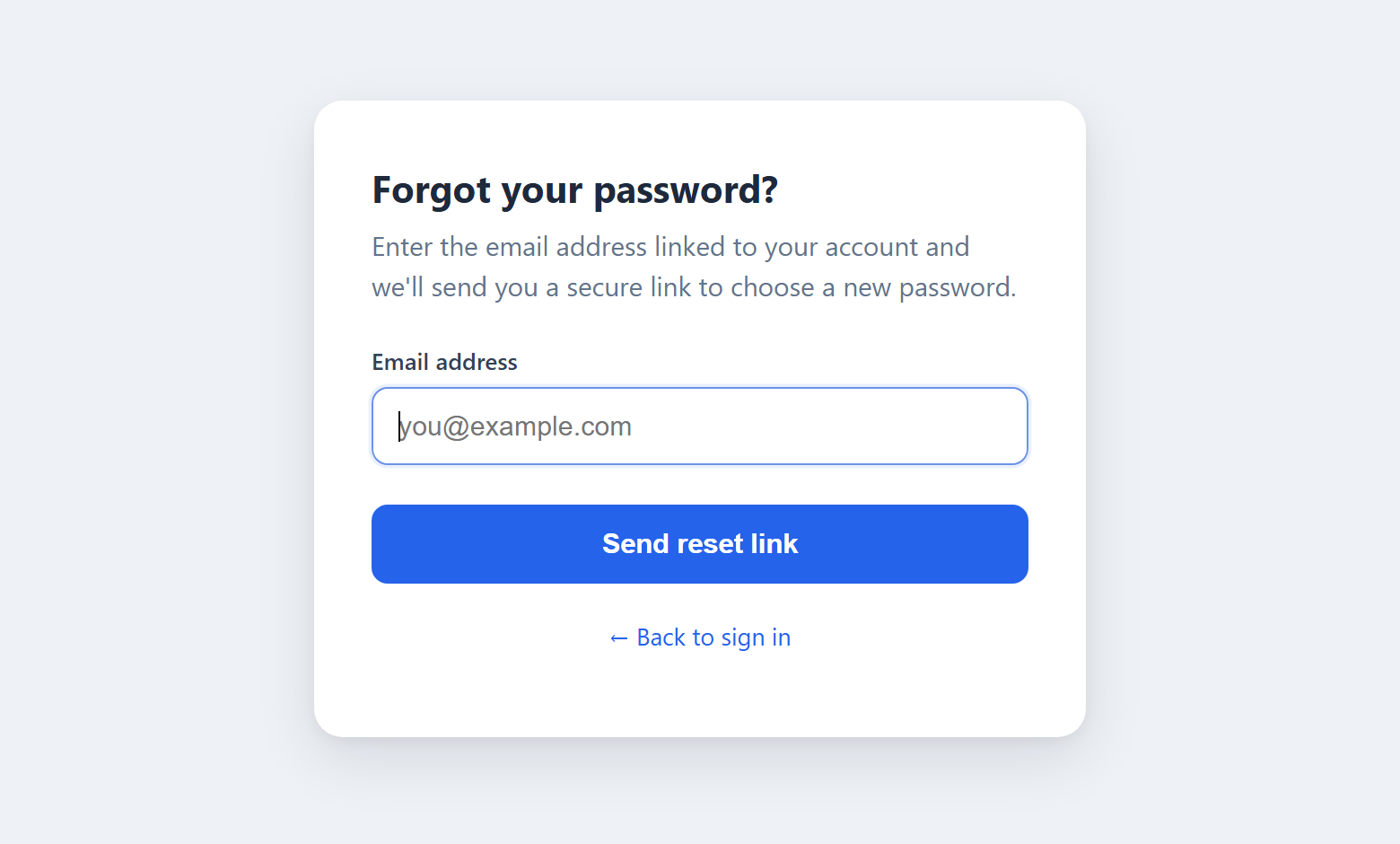
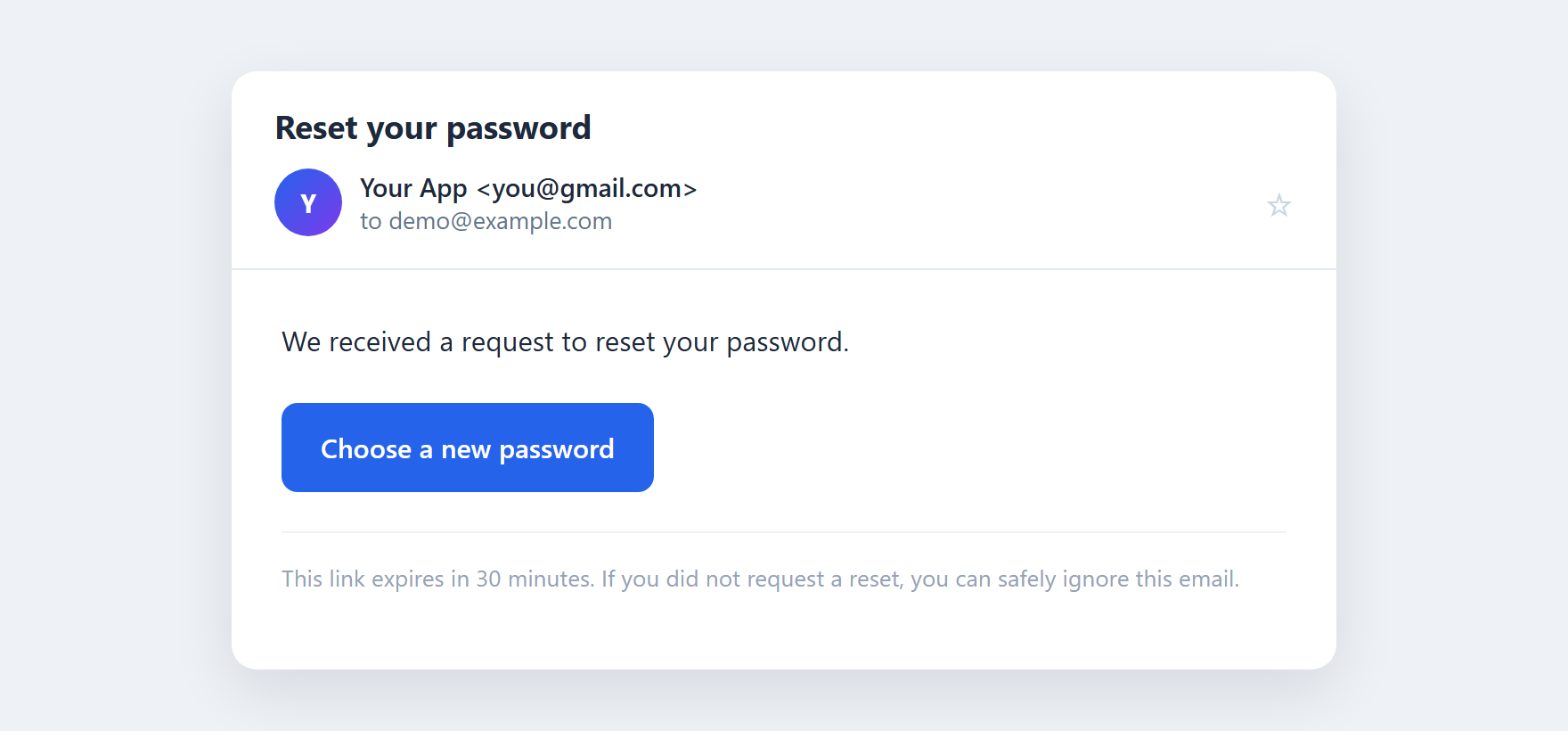
And here's the email that lands, with the one-time link inside:
5. The Reset Password Page
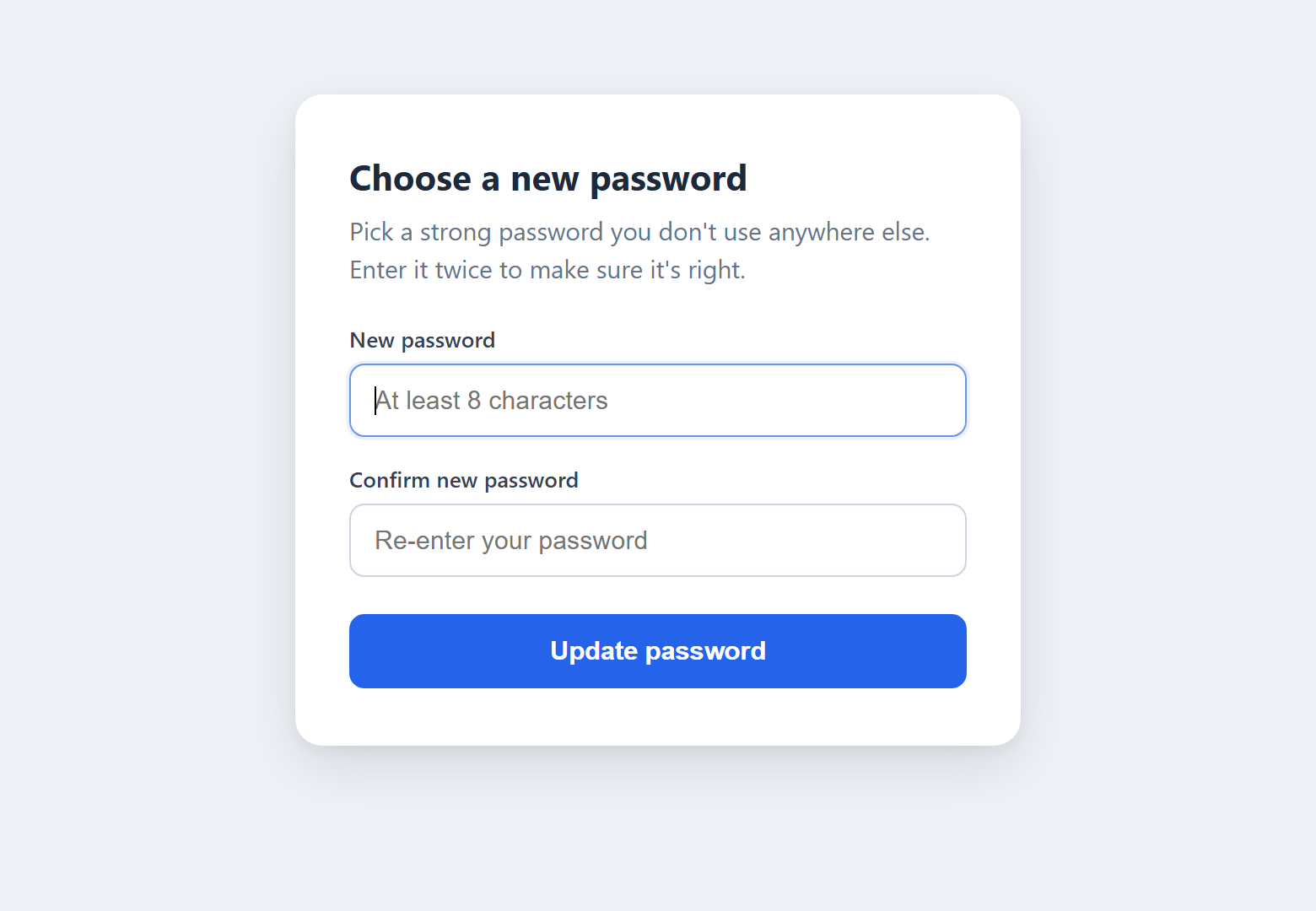
The user clicks the link and lands here with the token in the URL. This page checks the token, then lets them set a new password. Create reset-password.php:
<?php
// Start the session for the CSRF token, and load our settings
session_start();
require 'config.php';

// Connect to the database
$pdo = new PDO('mysql:host=' . DB_HOST . ';dbname=' . DB_NAME . ';charset=utf8mb4', DB_USER, DB_PASS, [PDO::ATTR_ERRMODE => PDO::ERRMODE_EXCEPTION]);

// Create a CSRF token for the form
$_SESSION['csrf'] = $_SESSION['csrf'] ?? bin2hex(random_bytes(32));

// The token arrives in the URL on the first visit, and in a hidden field when the form is posted
$token = $_GET['token'] ?? $_POST['token'] ?? '';
$error = '';
$done = false;

// Look the token up by its hash, and only accept it if it's unused and not expired
$stmt = $pdo->prepare('SELECT user_id FROM password_resets WHERE token_hash = ? AND used = 0 AND expires_at > NOW() LIMIT 1');
$stmt->execute([hash('sha256', $token)]);
$reset = $stmt->fetch(PDO::FETCH_ASSOC);

// Handle the new password when the form is submitted
if ($_SERVER['REQUEST_METHOD'] === 'POST') {
    // Block cross-site submissions
    if (!hash_equals($_SESSION['csrf'], $_POST['csrf'] ?? '')) exit('Invalid request');
    if (!$reset) {
        $error = 'This reset link is invalid or has expired.';
    } else if (strlen($_POST['password'] ?? '') < 8) {
        $error = 'Your new password must be at least 8 characters.';
    } else if ($_POST['password'] !== $_POST['confirm']) {
        $error = 'The two passwords do not match.';
    } else {
        // Hash the new password with bcrypt - never store it as plain text
        $hash = password_hash($_POST['password'], PASSWORD_DEFAULT);
        // Save the password and burn every token for this user, both in one transaction
        $pdo->beginTransaction();
        $pdo->prepare('UPDATE accounts SET password = ? WHERE id = ?')->execute([$hash, $reset['user_id']]);
        $pdo->prepare('UPDATE password_resets SET used = 1 WHERE user_id = ?')->execute([$reset['user_id']]);
        $pdo->commit();
        $done = true;
    }
}
?>
<!DOCTYPE html>
<html>
<body>
    <?php if ($done): ?>
        <p>Your password has been updated. You can now <a href="login.php">sign in</a>.</p>
    <?php elseif (!$reset): ?>
        <p>This reset link is invalid or has expired. <a href="forgot-password.php">Request a new one</a>.</p>
    <?php else: ?>
        <?php if ($error) echo '<p>' . $error . '</p>'; ?>
        <form method="post">
            <input type="hidden" name="csrf" value="<?= $_SESSION['csrf'] ?>">
            <input type="hidden" name="token" value="<?= htmlspecialchars($token) ?>">
            <label>New password</label>
            <input type="password" name="password" required>
            <label>Confirm new password</label>
            <input type="password" name="confirm" required>
            <button type="submit">Update password</button>
        </form>
    <?php endif; ?>
</body>
</html>
The lookup does the work. That one query hashes the incoming token and requires used = 0 and expires_at > NOW() all at once, so an expired, used, or fake token simply returns no row. There's no separate "is it expired?" branch to forget.
The transaction. Saving the password and marking the token used happen together inside a transaction. If the first succeeded but the second failed, the link would still work, which is a real problem. The transaction guarantees both happen or neither does.
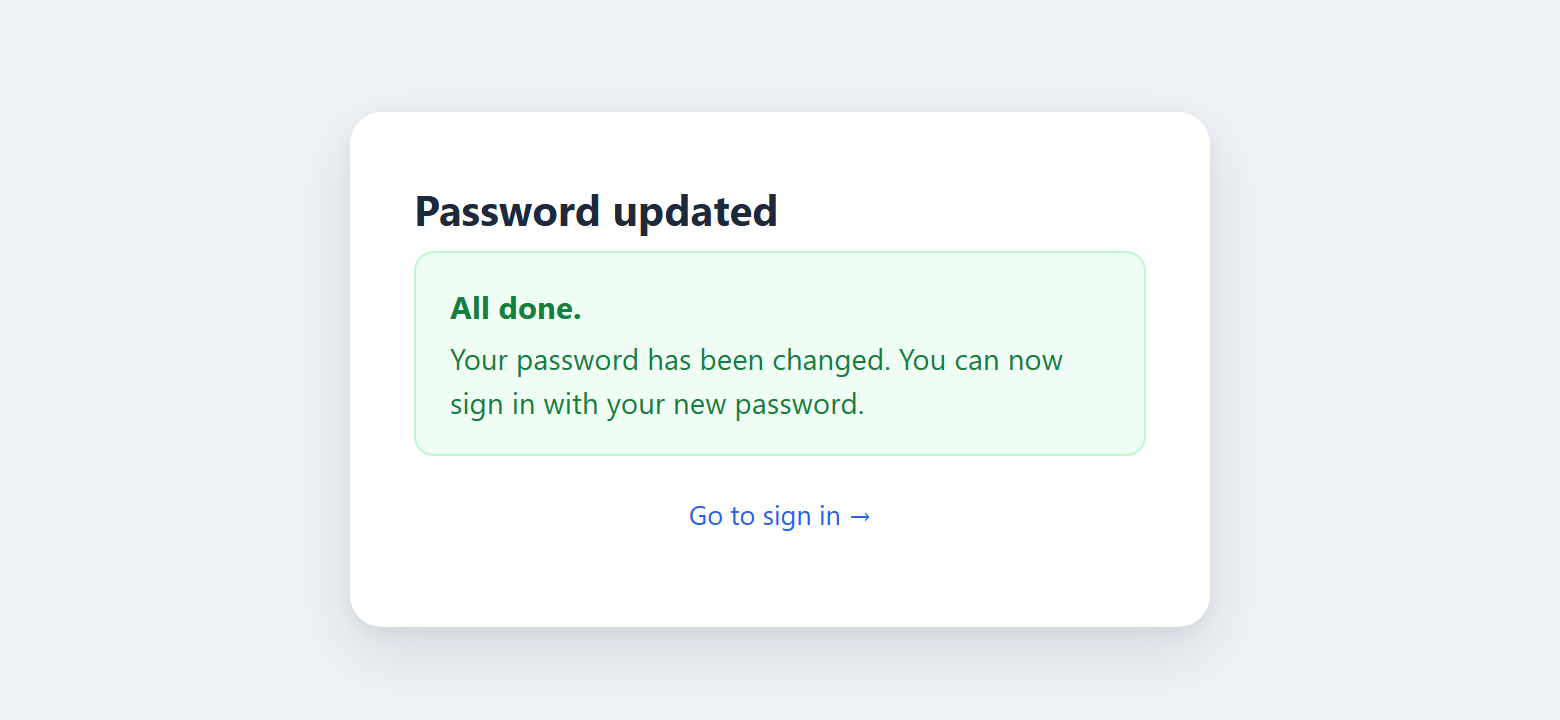
No auto-login. We send the user to the sign-in page instead of logging them in automatically. It's the safer habit, and it confirms the new password actually works.
Update the password, and that's the whole loop closed:
6. Security Best Practices
We wove the security through the build, so here it is in one place. This checklist mirrors the OWASP Forgot Password Cheat Sheet, the reference the industry leans on. The clearest way to see it is the right habit against the common mistake:
Do this
- Email a one-time reset link
- Store only the token's hash
- Expire links in about 30 minutes
- Show one generic response
- Hash passwords with password_hash()
Not this
- Email the password itself
- Store the raw token
- Let links live for days
- Say "no account with that email"
- Use md5() or sha1()
One decision worth its own note: how long should the link last? Shorter is safer but can feel rushed; longer is friendlier but widens the window of risk. Here's how the common choices stack up:
| Link lifetime | Security | Experience |
| 10-15 minutes | Strongest | Can feel rushed |
| 30 minutes (our choice) | Strong | Comfortable |
| 1 hour | Reasonable | Generous |
| 24 hours or more | Weak, avoid | Very forgiving |
Last thing, and it sits outside the code: always serve these pages over HTTPS. A reset link sent over plain HTTP can be read by anyone on the same network, and the whole design assumes the token stays private in transit.
Frequently Asked Questions
How do I create a forgot password feature in PHP?
Build it around a one-time token, not the password. When the user submits their email, generate a random token with random_bytes(), store only its SHA-256 hash with a short expiry, and email the raw token as a link. When they click it, look the token up by its hash, confirm it hasn't expired or been used, then save the new password with password_hash(). That is exactly what this tutorial builds.
How long should a password reset link be valid?
Between 15 and 60 minutes is the sweet spot, and we use 30 minutes here. A short lifetime shrinks the window an attacker has if an email is ever exposed, while still giving a real person time to open their inbox and click the link. Anything measured in days is asking for trouble.
Should I hash the password reset token before storing it?
Yes. Treat the token like a password and store only a SHA-256 hash of it, never the raw value. If your database is ever leaked, the stored hashes are useless because the real tokens only ever existed in the emailed links. When the user returns, you hash the incoming token and match it against the stored hash.
Why shouldn't I email the user their password?
Because it means you are storing passwords in a form you can read, which is a serious security failure on its own. Email is also plain text in transit and lingers in inboxes for years. A one-time reset link avoids all of that: it expires, it works once, and it never exposes the actual password.
How do I stop a reset link from being used more than once?
Give each token a used flag and set it to 1 the moment the password changes. Every lookup checks that used is still 0, so a link stops working after its first successful use. Doing the password update and the flag change in a single transaction keeps the two in sync even if something fails midway.
Can I use PHP's mail() function instead of PHPMailer?
You can, but PHPMailer over SMTP is far more reliable. The built-in mail() function often lands in spam or fails silently on shared hosting because it doesn't authenticate with a real mail server. PHPMailer signs in to something like Gmail or your provider's SMTP, which gets your reset emails delivered.
Conclusion
That's a complete, secure password reset in plain PHP and MySQL. You generated a one-time token, stored only its hash, expired it after 30 minutes, sent a real email, and saved the new password the right way, closing the doors that trip up so many reset systems along the way.
The natural next step is to wire this into a full account system. Pair it with our secure login and registration tutorials for the complete set. If it helped, share it with someone stuck on the same feature, and drop a comment below.
You have the complete tutorial code above, free to use. Here is what a membership adds if you want more than this one project.
What you just built
The complete code from this tutorial
No account needed
- The complete working project, with a setup guide
- Free for personal and commercial use
- No attribution required
- Packages are sold one at a time
- Ads on the page
CodeShack Pro
Every package and premium tool, for less than one costs
Billed yearly at $96. Save $48 against monthly.
- All 16 packages, worth $360 bought one at a time
- Every premium tool on the site
- No ads on any page of the site
- Members-only tools and articles
- Everything we add while you are a member
- Cancel from your account in one click























