Advanced Commenting System
Drop-in comments for any page of your site
Instant Download
Lifetime Access & Updates
User Guide
30-Day Money-Back Guarantee
Screenshots
Overview
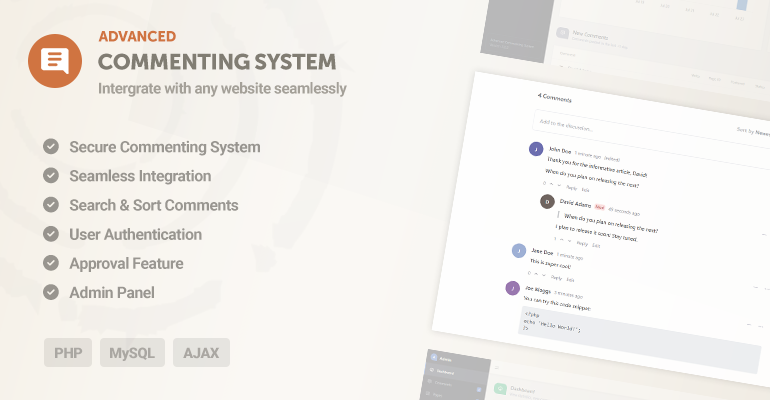
The Advanced Commenting System is a PHP comment script you can drop into any page with a simple include, powered by MySQL and AJAX. It's a self-hosted alternative to Disqus: no monthly fees, no tracking scripts, and your readers' data stays in your own database.
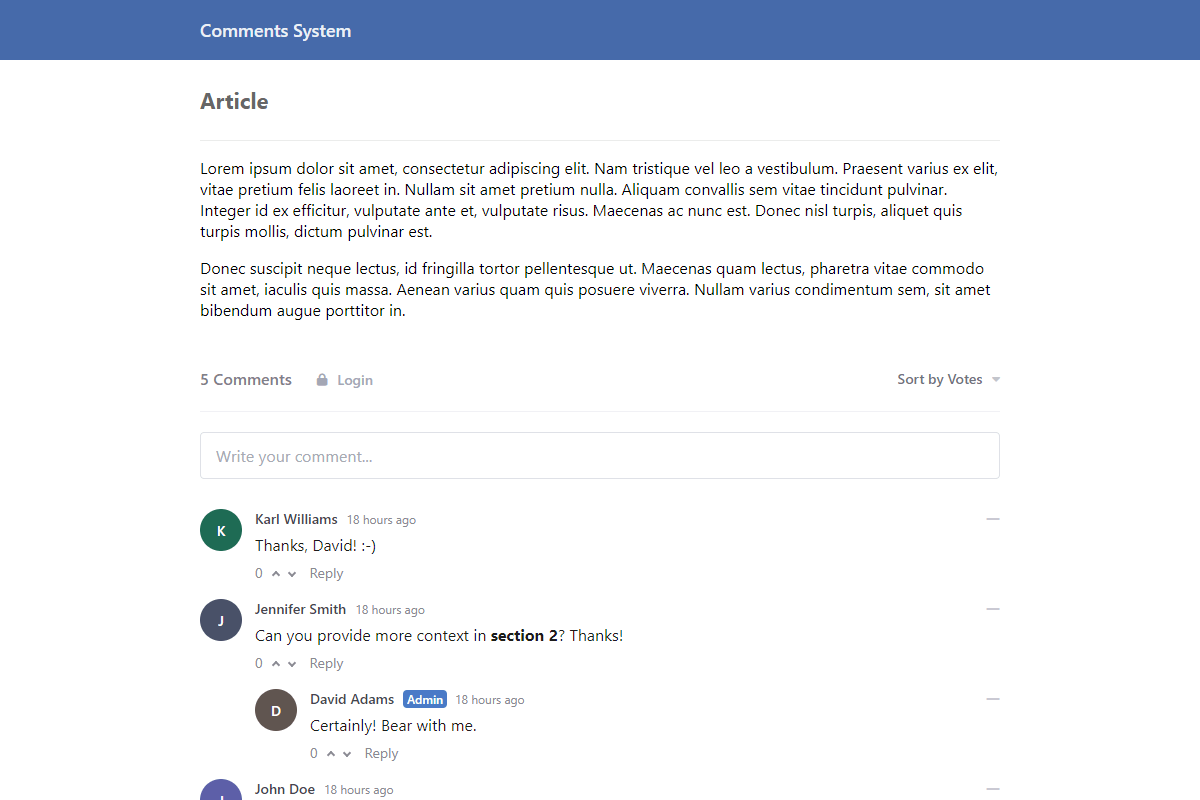
Readers write comments in a rich text editor, reply in nested threads, vote the best ones up, and sign in with Google, Facebook, or X if you enable social login. On your side there's an approval queue, word filters, user banning and reporting, featured comments, and email notifications through PHPMailer. There's even an importer for your existing Disqus or WordPress comments.
Comments render with JSON-LD schema so search engines can index the discussion, and the whole thing is managed from the admin panel. The user guide covers setup step by step.
Features
Secure Commenting Script Built with modern security practices, including PDO prepared statements against SQL injection and a strict HTML sanitizer that blocks XSS attacks.
Standalone Script Integration Add the comment script to any webpage with a simple PHP include. Works great with custom HTML sites and CMS platforms.
Dynamic AJAX Loading Comments load, post, and update instantly in the background without ever needing a page refresh.
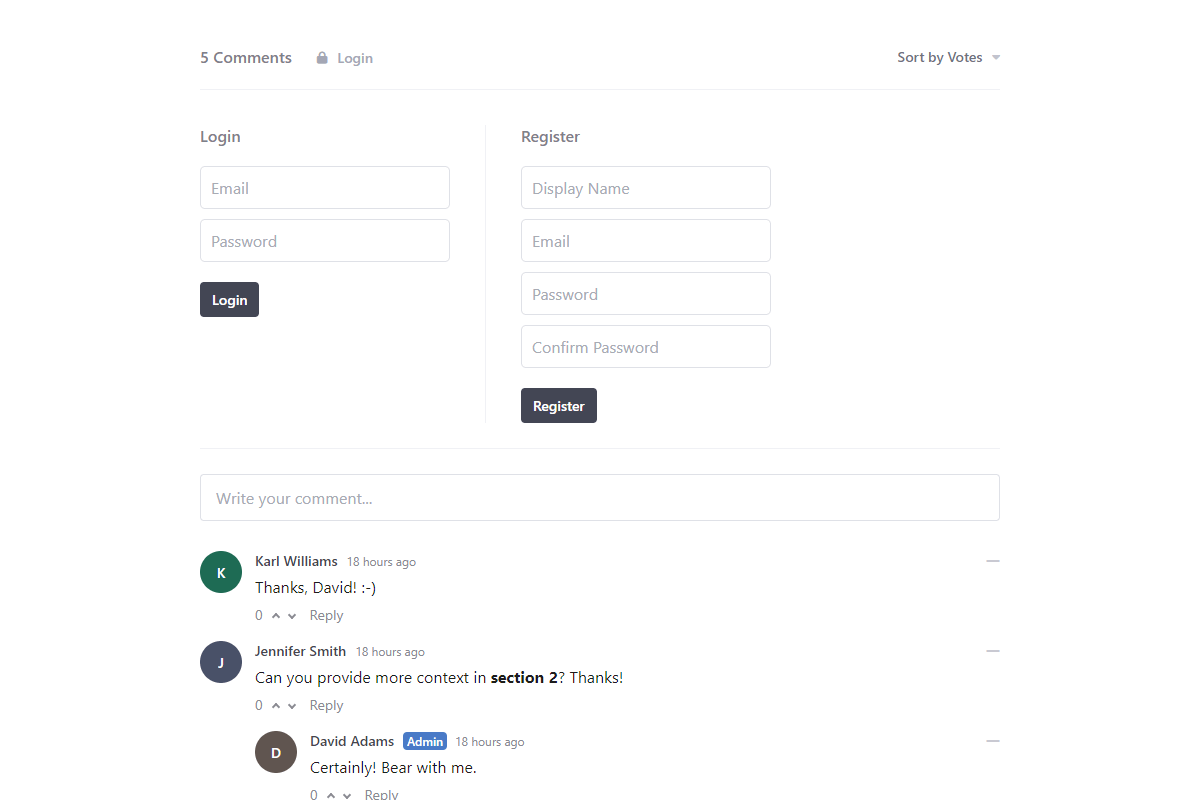
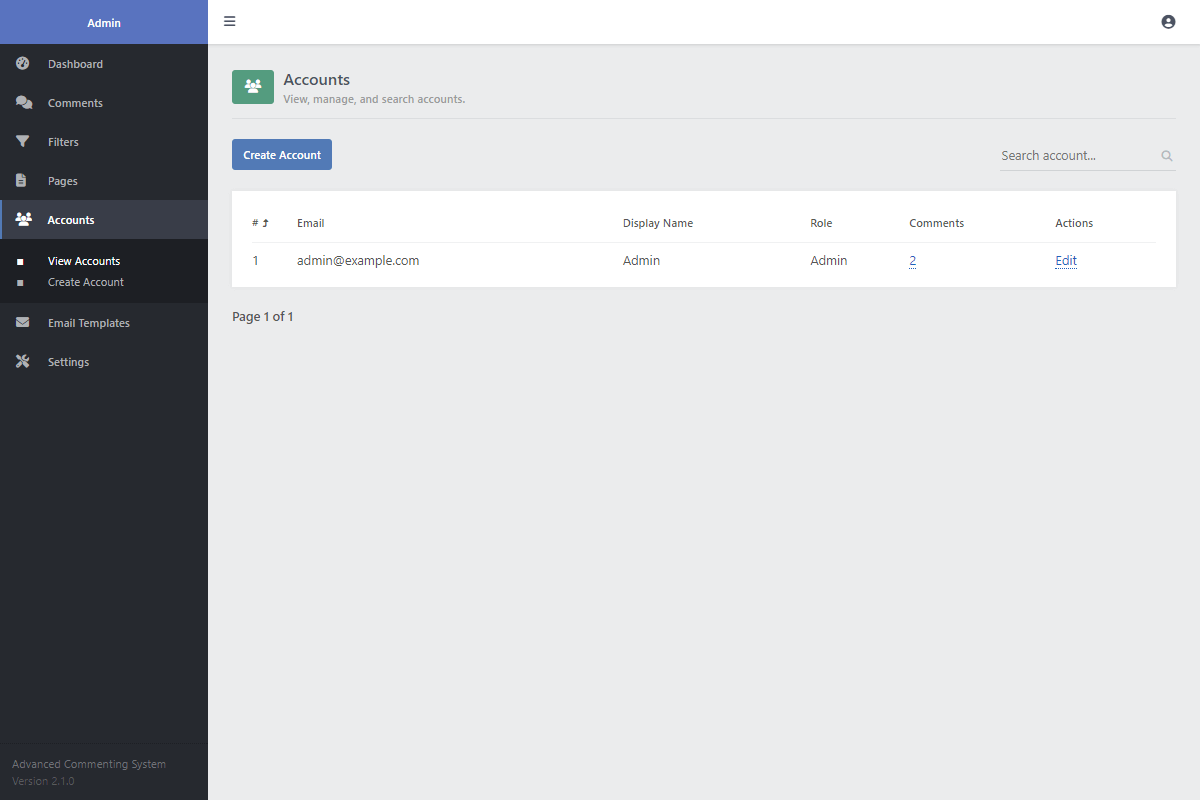
Complete Account System Users can register, log in, and manage their profiles. You can also make registration mandatory or allow guest comments.
Social Media Login Pre-built authentication logic to enable one-click login with Google, Facebook, and X (Twitter).
Nested Replies Built-in database relationships allow users to reply directly to other comments, creating organized, threaded conversations.
Comment Voting Let your community highlight the best comments. Users can upvote or downvote comments to show their agreement.
Advanced Sorting Front-end controls allow users to sort comments by the most votes, newest first, or oldest first.
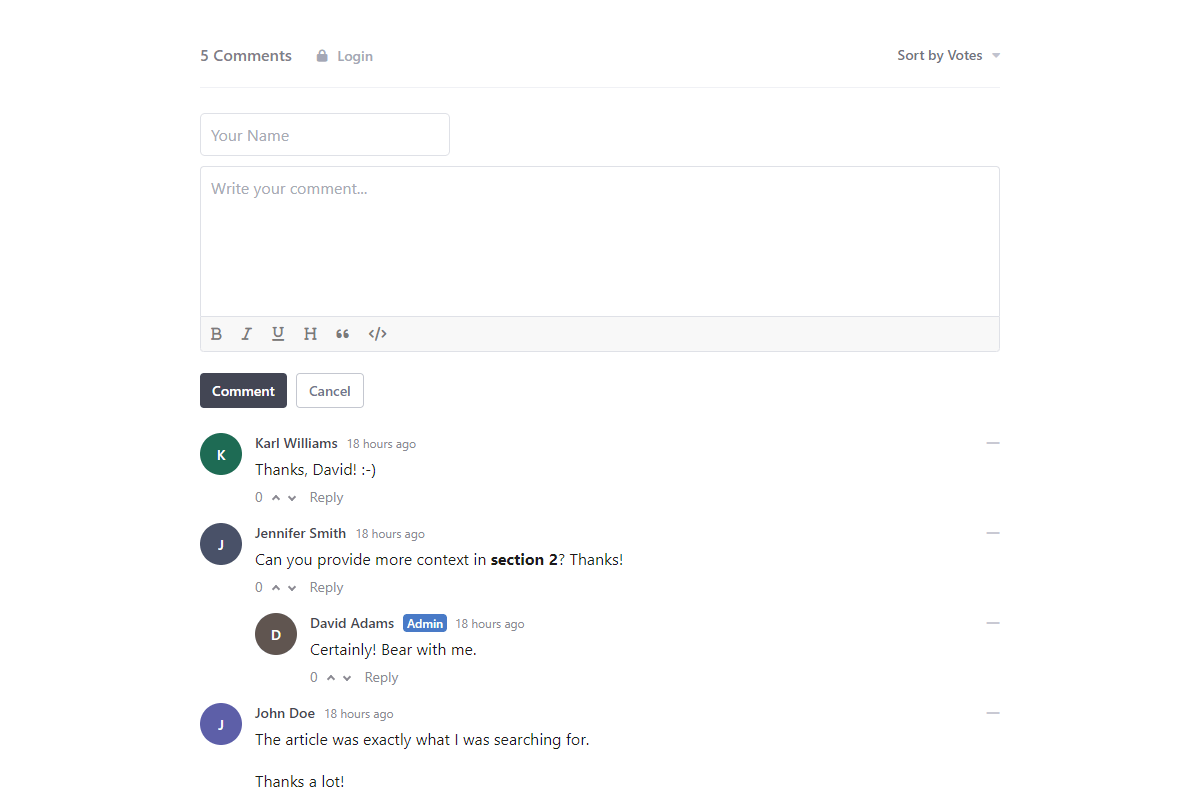
Rich Text Editor Users can format their comments with a powerful WYSIWYG editor that supports bold, italics, lists, links, quotes, and code blocks.
Image & Profile Photo Uploads Script logic allows users to securely embed images in comments and upload their own profile photos.
User Actions Registered users can easily edit or delete their own comments within a configurable time limit in the code.
Featured Comments Administrators can manually pin insightful or important comments to the top of the discussion via the database.
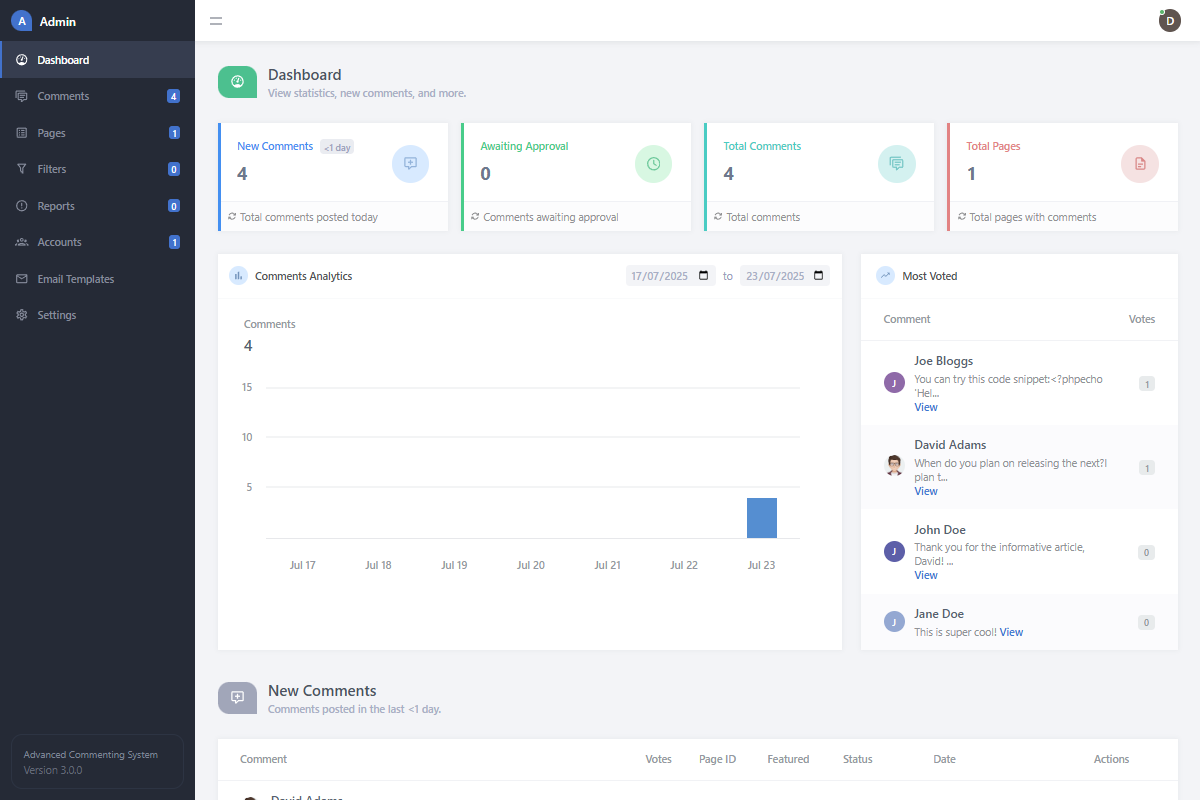
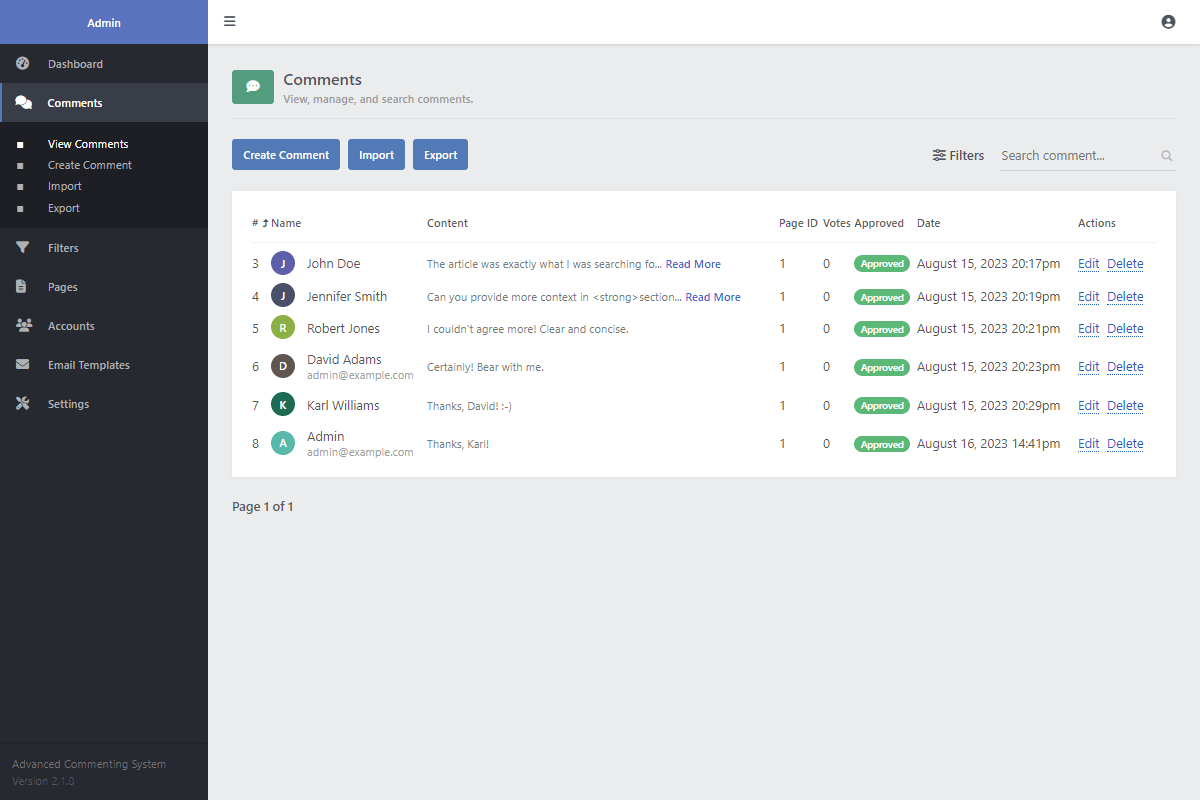
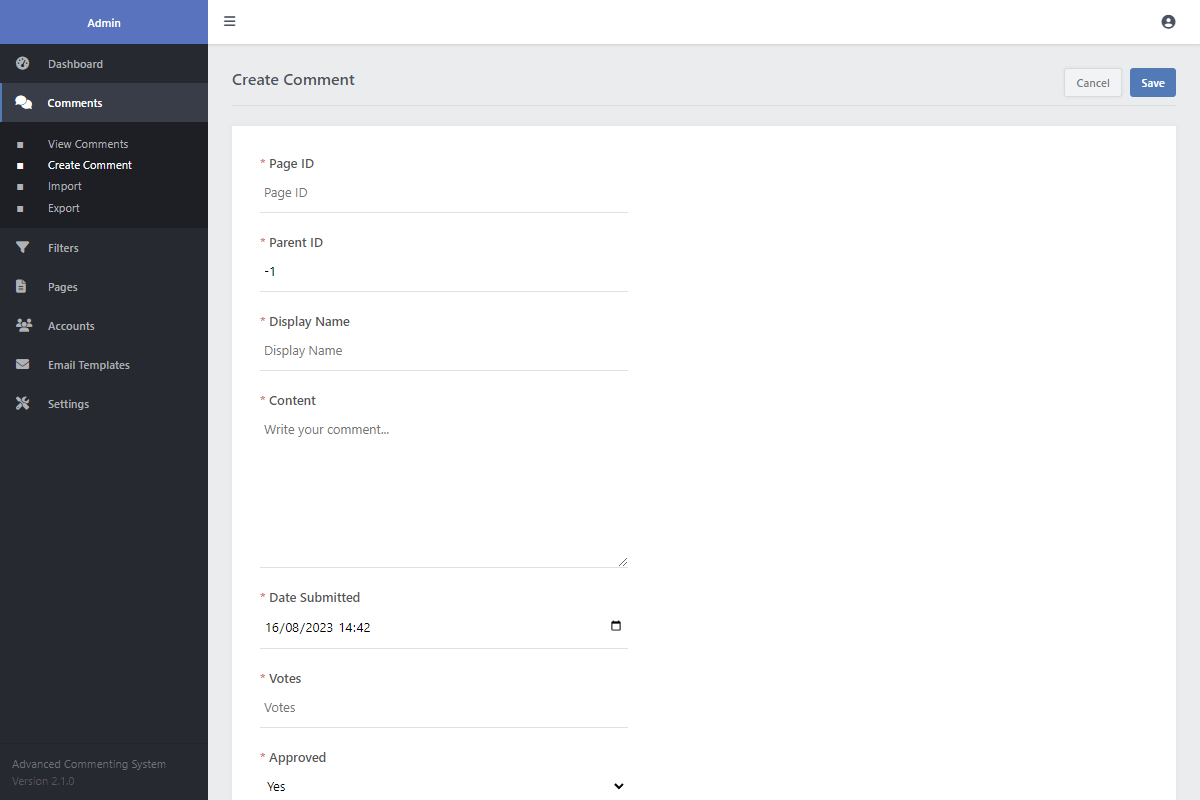
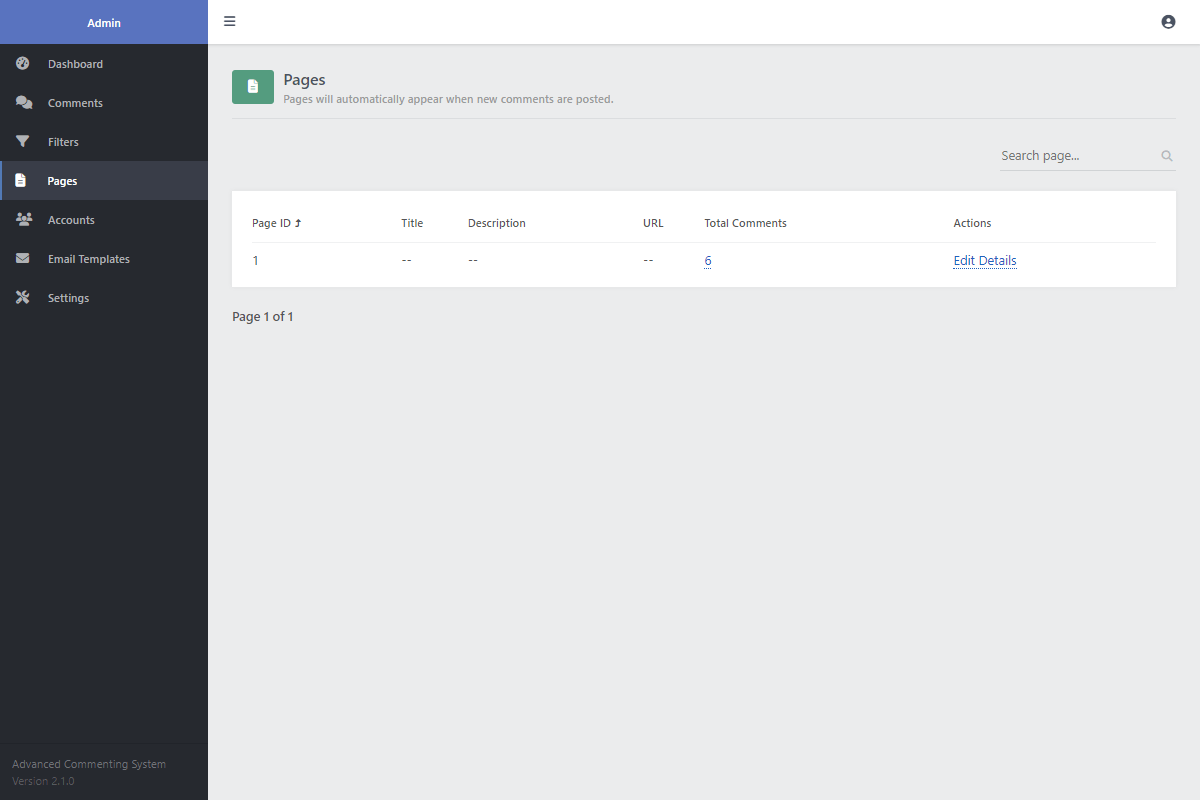
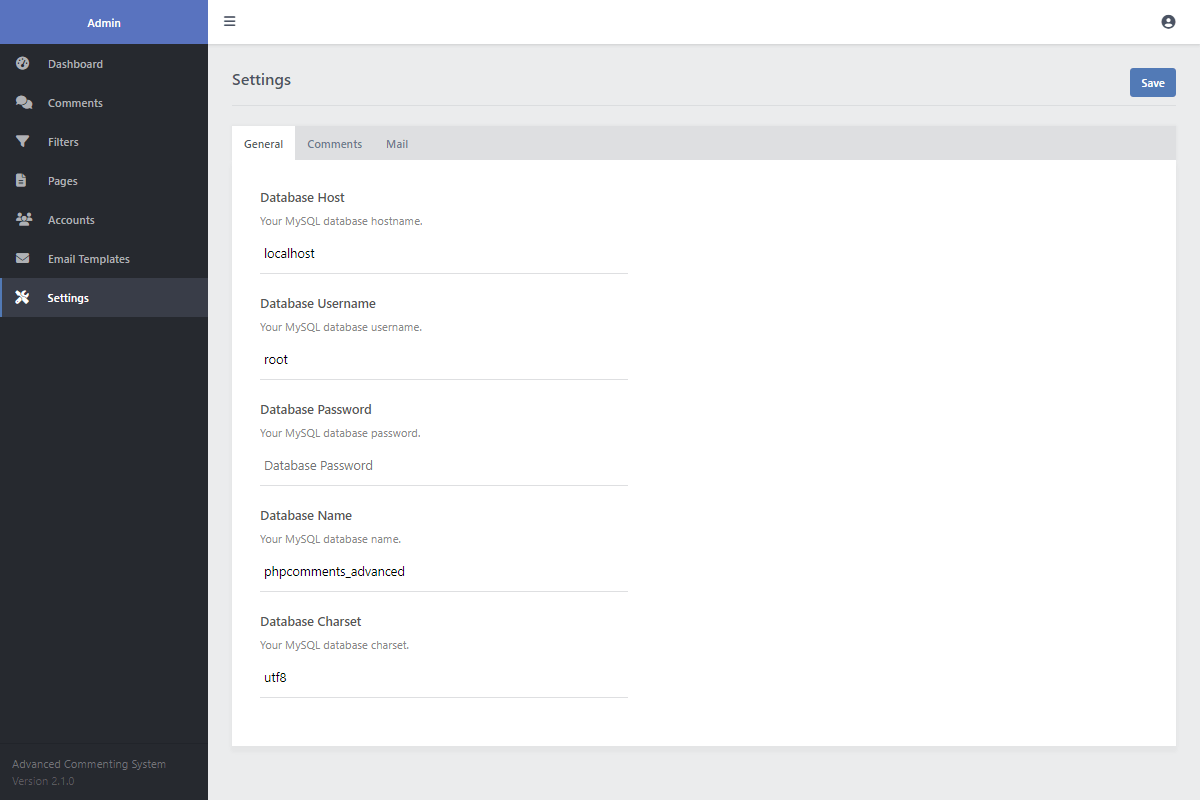
Powerful Admin Panel Manage everything from a central backend UI. Moderate comments, manage users, configure settings, and set word filters.
Flexible Approval System Choose your moderation level. Set comments to be published instantly, or require database approval before rendering.
User Banning & Reporting Community members can report inappropriate comments, and administrators can easily ban users from the system.
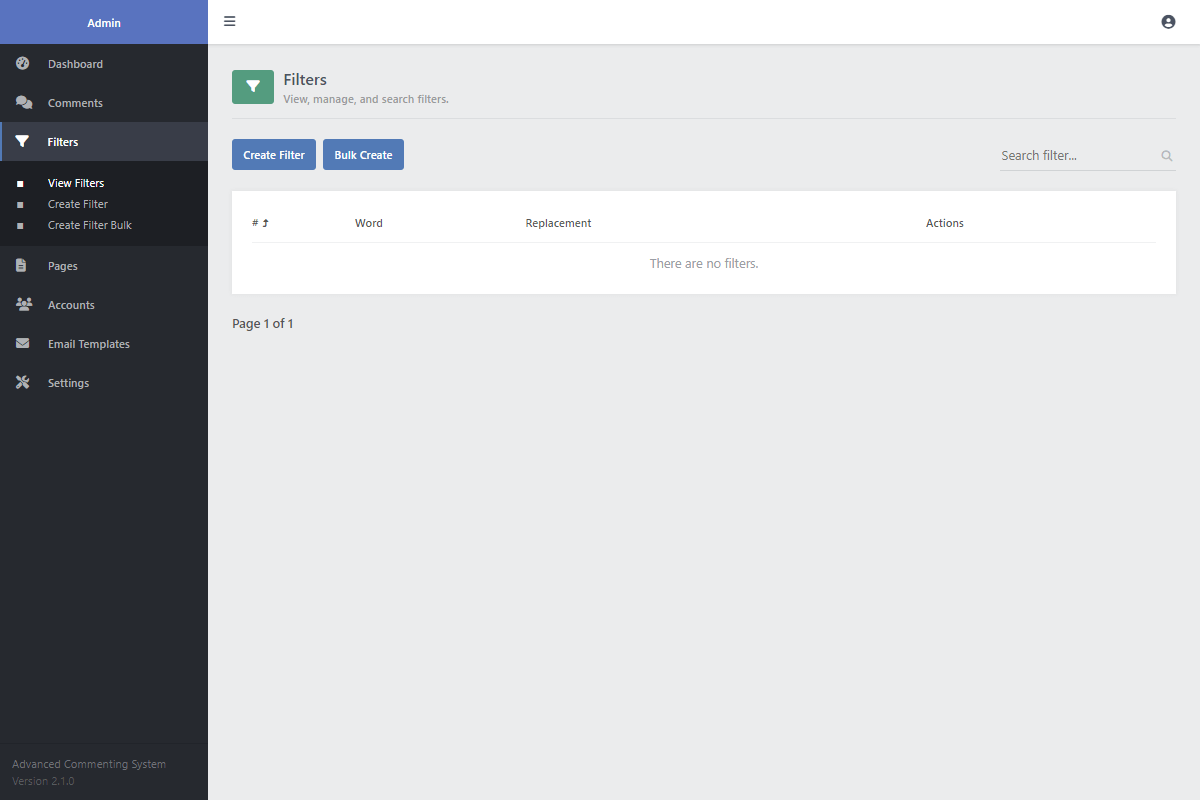
Word & Spam Filtering Create a list of forbidden words in the configuration files that will be automatically censored to keep your section clean.
Email Notifications Included PHPMailer logic automatically notifies admins of new posts and alerts users when someone replies.
SEO Optimized Includes automatic generation of JSON-LD schema for comments, which helps search engines index your user-generated content.
Easy to Customize Includes the full SCSS source files, making it simple to change colors, fonts, and layouts to perfectly match your website.
Fully Responsive Design The included HTML/CSS templates are built to look and work great on any device, from desktops to mobile phones.
Full Source Code You get 100% of the raw source code with no encryption or domain restrictions. Feel free to modify it to fit your exact needs.
Lifetime Access & Documentation Your purchase includes free lifetime access to version updates and a comprehensive technical setup guide.
Technical Requirements
- Apache/Nginx Web Server — We recommend XAMPP for testing on your local environment.
- PHP >= 5.5.0 — PHP >= 8.0 is recommended for optimal performance.
- MySQL >= 5.6 or MariaDB
- A code editor, such as Visual Studio Code or Notepad++.
FAQs
How do I integrate the commenting system into my website?
Integration is simple. First, update the database credentials in the 'config.php' file and import the provided SQL file using a tool like phpMyAdmin. Then, include the JS snippet (see the 'index.html' file) on any page where you want the comment section to appear. You just need to assign a unique ID to each page to keep the comments separate.
Can I customize the appearance to match my site's design?
Absolutely! The digital package includes the original SCSS files. You can easily modify variables for colors, fonts, and spacing, then recompile the CSS to fit your brand. You also have full access to the HTML structure if you need to make deeper changes.
How does the system prevent spam and malicious code?
The codebase uses multiple layers of security. It uses PDO prepared statements to prevent SQL injection attacks. All submitted content is passed through a rigorous sanitizer that strips out dangerous HTML and JavaScript, preventing XSS attacks. Additionally, you can enable comment approval, set a posting cooldown, and use word filters to combat spam.
Can I import existing comments from WordPress or Disqus?
Yes. The admin panel includes a pre-coded importer tool that can help you bring in comments from other platforms like WordPress and Disqus, so you don't have to lose your existing database records.
Do users need to create an account to comment?
That's completely up to you. In the 'config.php' file, you can set authentication to be required, which forces all users to log in or register. Alternatively, you can disable this to allow guest commenting for everyone.
How are email notifications configured?
You can enable or disable email notifications in the 'config.php' file. The system can send alerts to an administrator when new comments are posted and also notify users when someone replies to their comment. For best results, we recommend configuring the SMTP settings to ensure reliable email delivery.
Why am I receiving a MySQL error on setup?
This is typically caused by incorrect database details. Double-check that the database host, username, password, and name in your 'config.php' file are correct. Also, ensure you have successfully imported the provided 'comments.sql' file into your database via a tool like phpMyAdmin.
How do I get my download link again if I've lost it?
You can re-download the software package at any time using the link from the receipt email that was sent to you. If you can't find the email, you can request a new one. Please remember not to share your download links, as they are unique to you.
Why should I use this commenting script over Disqus?
Disqus can be a convenient option, but it comes with significant downsides, especially for performance and privacy. It's known to be resource-intensive, which can dramatically increase your page load times and result in poor scores on Google PageSpeed Insights. This negatively impacts your SEO. Furthermore, Disqus tracks and shares user data for advertising purposes.
Our Advanced Commenting System is built to be the opposite: it's extremely lightweight and fast, ensuring it won't slow down your site. It's optimized for SEO, including schema integration, to help your user content get discovered. With a one-time purchase, you get complete privacy (we never track your users), no monthly fees, and full administrative control over your data.
Can I use the package on multiple websites?
Yes, but each website needs its own license.
Change Log
Version 3.0.1 20/08/2025
- [Updated] the dashboard stats to be clickable.
- [Updated] the stylesheet to be a little darker for some elements.
- [Fixed] a few minor bugs.
Version 3.0.0 23/07/2025
- [Updated] the comment sharing functionality to use the modern Share API that's built into the browser.
- [Updated] how comments are deleted to keep replies visible.
- [Updated] the design to be more responsive and modern.
- [Updated] the comment sanitizer to be more robust and secure.
- [Updated] the database charset to utf8mb4_unicode_ci to support emojis and special characters.
- [Updated] the SQL queries to be more efficient and added indexes to improve performance.
- [Added] the ability to open/close specific pages. Closing them will prevent users from commenting on them.
- [Added] the ability to ban users.
- [Added] the ability to add images to comments.
- [Added] edit profile modal with new options for changing display name, email, password, URL, and avatar.
- [Added] comment cooldown to help prevent spam.
- [Added] Google, Facebook, and X/Twitter login options.
- [Added] separate modals for the login and registration forms.
- [Added] the Quill WYSIWYG editor. You can now format your comments easier than ever before with various formatting options. You can fallback to plain text if needed.
- [Added] comment reporting. You can now directly report comments and easily delete them via the admin panel.
- [Refactored] most of the code to improve performance and security.
- [Fixed] many bugs.
Version 2.1.1 23/10/2023
- [Fixed] a few minor bugs.
Version 2.1.0 16/08/2023
- [Added] a few new pages to the admin panel (export/import comments, pages, bulk create filters, and email templates) and improved the layout.
- [Added] email notifications. Receive alerts when new comments are posted and responses to your own comments.
- [Updated] the account authentication.
- [Updated] the comment approval functionality and added various levels.
- [Added] search comments functionality. You can toggle the option in the config.php file (or via the settings page).
- [Added] the ability to export comments.
- [Added] the ability to import comments from various platforms (WordPress, Disqus, etc.).
- [Updated] the layout and improved the CSS code.
- [Updated] the share comment functionality. When you share a comment, it'll appear first in the list.
- [Added] role labels for moderators.
- [Added] various comment options to the front end (edit, delete, etc).
- [Added] featured comment functionality, which will give you the option to feature a comment.
- [Added] a bunch of new features and changes to the script.
- [Fixed] a few bugs that affected the write comment form.
Version 2.0.0 16/05/2022
- [Added] responsive CSS code.
- [Updated] the code structure and optimized it for performance.
- [Added] share button to comments.
- [Updated] the comment icon image. It will now show the commenter's initial along with a unique background color.
- [Updated] the comment write form and added multiple format options.
- [Fixed] a bug when limiting the number of comments to show.
- [Updated] the admin interface and added column sorting, searching, and pagination.
- [Updated] the comment icon image. It will now show the commenter's initial along with a unique background color.
- [Added] account creation. New accounts page added to the admin panel.
Version 1.1.0 22/03/2021
- [Added] the configuration file (config.php).
- [Fixed] a bug with the sorting selection.
- [Improved] code commenting.
- [Added] the comment approval feature.
- [Added] the admin panel.
Version 1.0.2 05/10/2020
- [Fixed] an issue with the comment container exceeding the maximum width.
- [Fixed] an issue with the comment form not showing for submitted comments.
Version 1.0.1 29/09/2020
- [Improved] code.
- [Updated] the system to show the comment on form submission, as before the user would need to refresh the page to see their comment.
Version 1.0.0 24/07/2020
- [Release] the commenting system initial release.